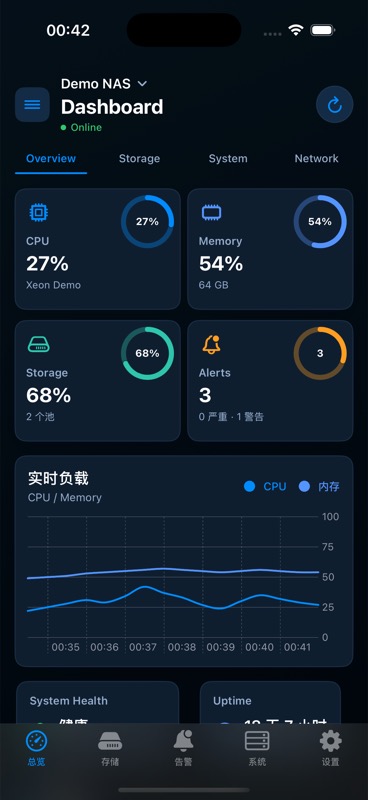
System health at a glance
CPU, memory, uptime, version, and health status are grouped for fast triage.
 TrueMonitor
TrueNAS monitoring for iPhone and iPad
A native, local-first dashboard for checking TrueNAS health, ZFS pool usage, alerts, apps, jobs, and services without opening a laptop.
No hosted account, direct server checks, and screenshots that use fictional demo data only.
Built around the checks admins repeat
CPU, memory, uptime, version, and health status are grouped for fast triage.
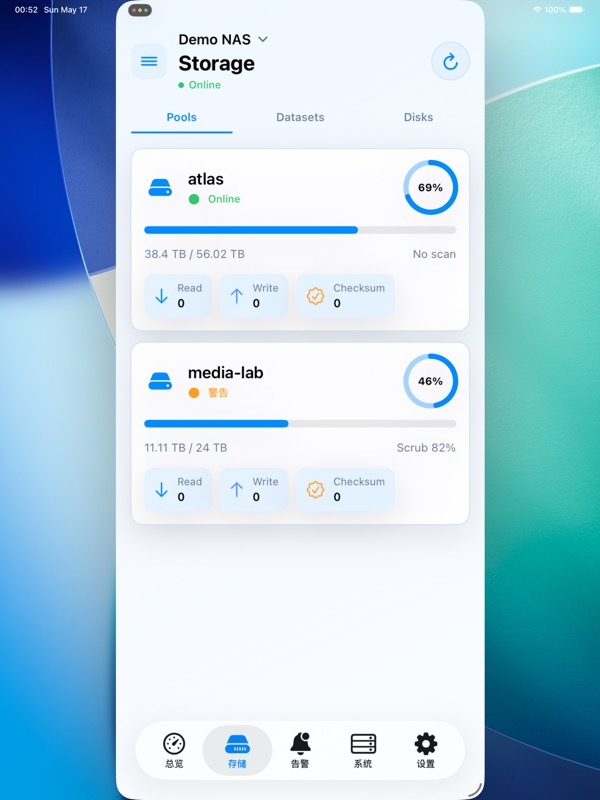
Track pools, datasets, disks, capacity, scan state, and read/write/checksum errors.
See app state, container counts, job progress, and service availability in one place.
Server profiles stay on device and API keys are stored with iOS Keychain.
App screenshots
Quickly scan CPU, memory, pool usage, alerts, uptime, and live load.
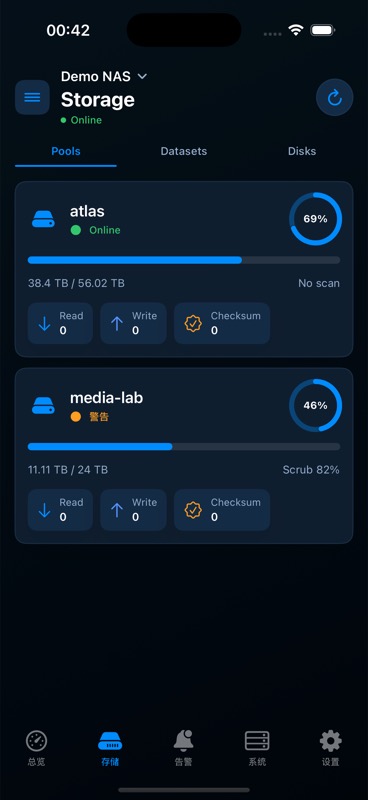
Review pools, usage, scan progress, and read/write/checksum error counts.
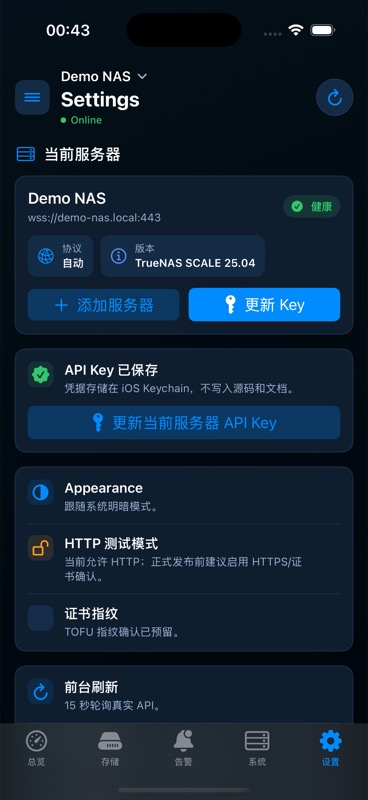
Server profiles stay on device and API keys are stored in iOS Keychain.
Admin workflow
Enter your TrueNAS endpoint, choose protocol preferences, and save credentials locally.
See health, storage pressure, warnings, uptime, and live load in one glance.
Jump into pools, disks, alerts, services, tasks, and apps when something needs follow-up.
No hosted monitoring account
TrueMonitor is designed as a client for user-owned TrueNAS servers. It does not require a TrueMonitor cloud account, and screenshots on this site use only fictional sample data.
Use HTTPS, WSS, a trusted VPN, or your own network controls when connecting to production servers. Support requests should never include API keys, passwords, or sensitive topology.
Read the privacy policyLaunch materials
Questions buyers ask before installing
No. The app connects directly from your iPhone or iPad to the TrueNAS server you add.
API keys are stored in iOS Keychain. Do not paste production keys into support emails.
No. The app also groups storage, alerts, jobs, services, and app state for follow-up checks.
Yes. They come from the native app using fictional simulator demo data.
Ready for launch